Discuss
Two agents, one consensus
Start a back-and-forth between two agents. They take turns on your brief and land at a written consensus, with live commentary as they go.

Feel free to explore.
Discuss
Start a back-and-forth between two agents. They take turns on your brief and land at a written consensus, with live commentary as they go.
Named agents
Each agent has its own name, role and identity, and runs on the engine you pick for it.
Usage at a glance
Watch each agent's usage as it fills. When it's nearly full and the agent is idle, one click compacts it. Rings for every engine track your session and weekly allowances, so you use everything you pay for.
Agent to agent
Agents pass files and messages to each other through their own mailboxes, and you can read every handoff. When it takes a conversation, they discuss.
Your workspace
Claude, Codex, AGY and Grok replies all read the same way, in one window you arrange how you like, organised into your projects, each crew in its place.
One mailbox
Each agent has an inbox and an outbox. Open, preview, copy, download, archive and restore items.
Local Assistant
An assistant that runs on your own machine, through Ollama. Shortcuts turn long text into quick commands or messages, and it handles small jobs like math. When it's running it also powers extras: Tidy my draft, Read the room's live one-liners, live discussion commentary, and parts of the Playground.
Work maps
Your projects as a living map: status, progress, owner, notes and key findings on every item, kept current by you and your agents.

A banner shows the turn count and a limit you can change. Live commentary narrates the exchange in plain language as it happens, and you can stop the discussion at any time. Every consensus is kept: view it, save it as a file, archive or delete it.
Agents and tools raise alerts at four levels, spoken or shown as a pop-up, your choice, and one button mutes them. A soft chime tells you when an agent starts waiting, and a louder follow-up if it's still waiting a minute later.
Croo calls them cues. Built-in reminders for eye breaks, water and stretching, if you listen. Better yet, customize your own.
Tap the microphone and speak. Your words are turned into text on your own machine. English only for now.
A button reads out a short spoken summary of an agent's latest reply, in a natural Microsoft voice.
Bind your Telegram chat to any agent and talk to it directly, or leave it unbound as a private scratchpad. One-tap answers, status at a glance, voice in and voice out. When you're away, your agents and your cues reach you there.
For the kids ;) A few small games shipped with Croo, for while an agent works or when you need to switch off. A guide shows you how to build your own, local AI included, and any single-file page you add appears in the menu: games, status boards, whatever you like.
Croo works with services you already have, signed in as you: Claude, Codex, AGY and Grok as engines, Telegram for reach, a Microsoft neural voice for speech, and Ollama for local AI. Prompts go only to the engine you chose. More to come.
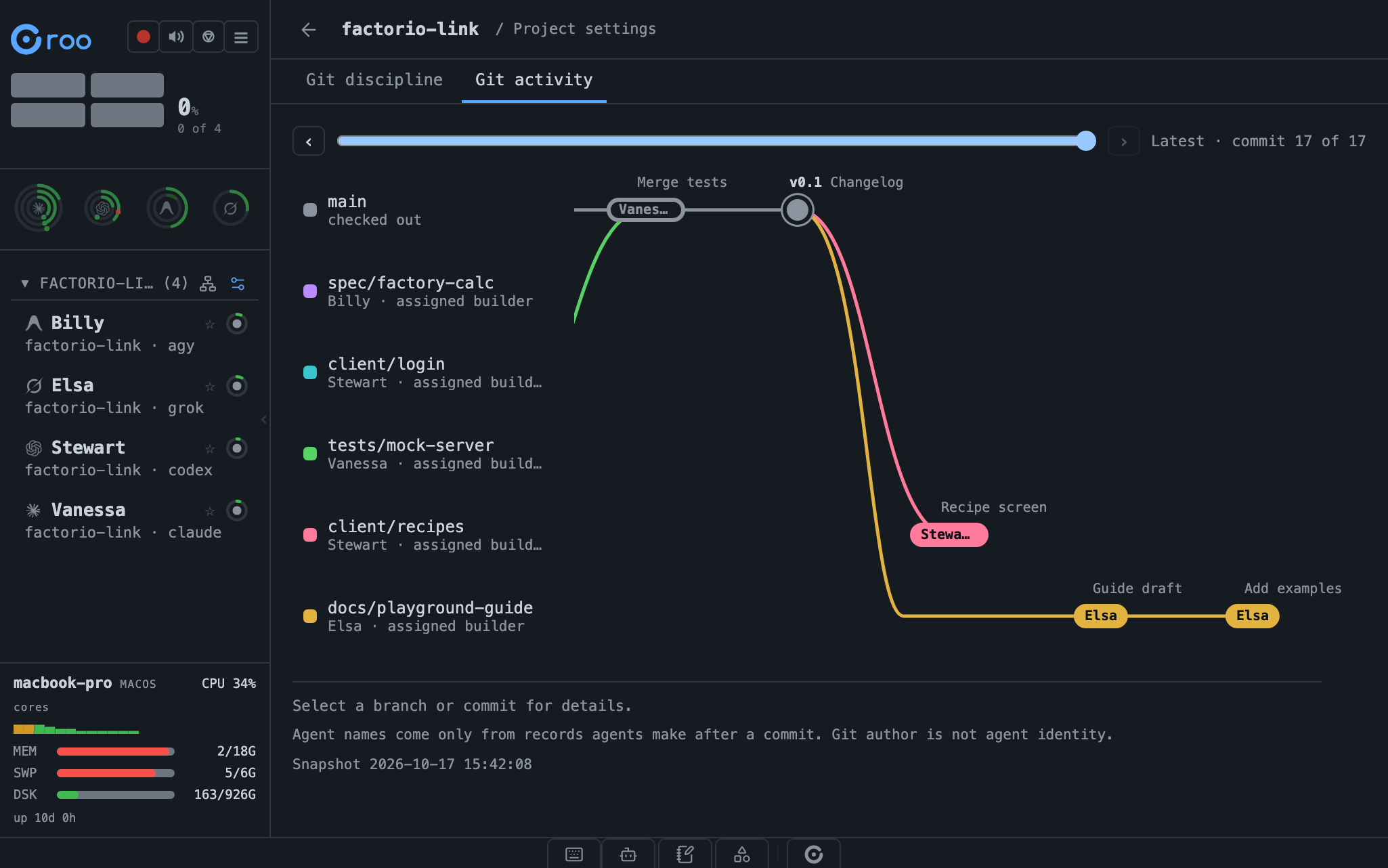
See the repository's history as lanes, one per branch, and which agent made a commit. Then set the rule: off, one shared branch, or agents manage their own. Croo hands it to every agent and shows you each one's receipt.
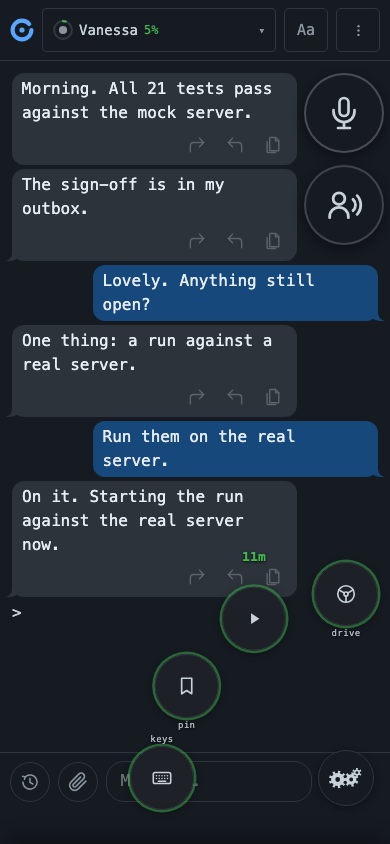
On your phone
Tap to send, or press and hold to fan out quick controls: drive, Power-Through, pin a draft, and terminal keys.
What it's for: Reach your most common mobile controls right from your thumb.
Every agent shows its state: waiting for you, working, in a discussion, compacting, resting or stopped. Sort the list by state.
Watch up to three agents at once, split across or down. Pop a pane out to another window.
One tile per agent, showing state. Just look at them work.
CPU, memory, disk and load for the machine running Croo, visible from any device.
Hover an agent for a one-line summary of what it is doing.
When an agent shows a numbered menu, the choices appear as buttons.
Save prompts you reuse. Scope each one to a single agent, a project, an engine, or everywhere, with blanks that fill in the agent or project name. Pin your favourite to the input pane, on web and phone, one tap away.
A button rewrites what you have typed into a cleaner message, with undo.
For a time window you choose, Croo answers an agent's permission prompts for you, so the work keeps moving. One button stops it for every agent.
Choose how much terminal you see. At full tidy, every agent reads as the same clean chat, whatever the engine, and the raw view is always one step away.
Browse a project's files in the sidebar. View, search, edit and save them. All without leaving Croo.
Run agents on Claude, Codex, AGY and Grok side by side.
Group agents under projects, each tied to its own folder. Filter the workspace by project.
Stop an agent and it's on leave: its conversation and memory wait, and it comes back right where it left off. When a job is truly done, retire the agent, keeping its profile on file or deleting it, your call. Or restart one fresh for a clean slate.
Choose the model and effort level for each agent.
A dedicated agent that looks after you and Croo itself: setup, repairs, updates and new agents.